
iOS StatusBar 设置
iOS StatusBar 设置
背景
最近遇到设置StatusBar的问题,在NavigationController出来的界面设置StatusBar后一直不生效,印象中遇到过此类的问题,但是没有记录总结,还是花费了一点时间来找到原因,所以赶紧记录一下。
全局设置
StatusBar的全局设置,需要首先在info.plist中设置View controller-based status bar appearance为NO,关掉按界面设置status bar 显示。
显示/隐藏
方法一:在Target下的Deployment Info中不勾选/勾选Hide status bar
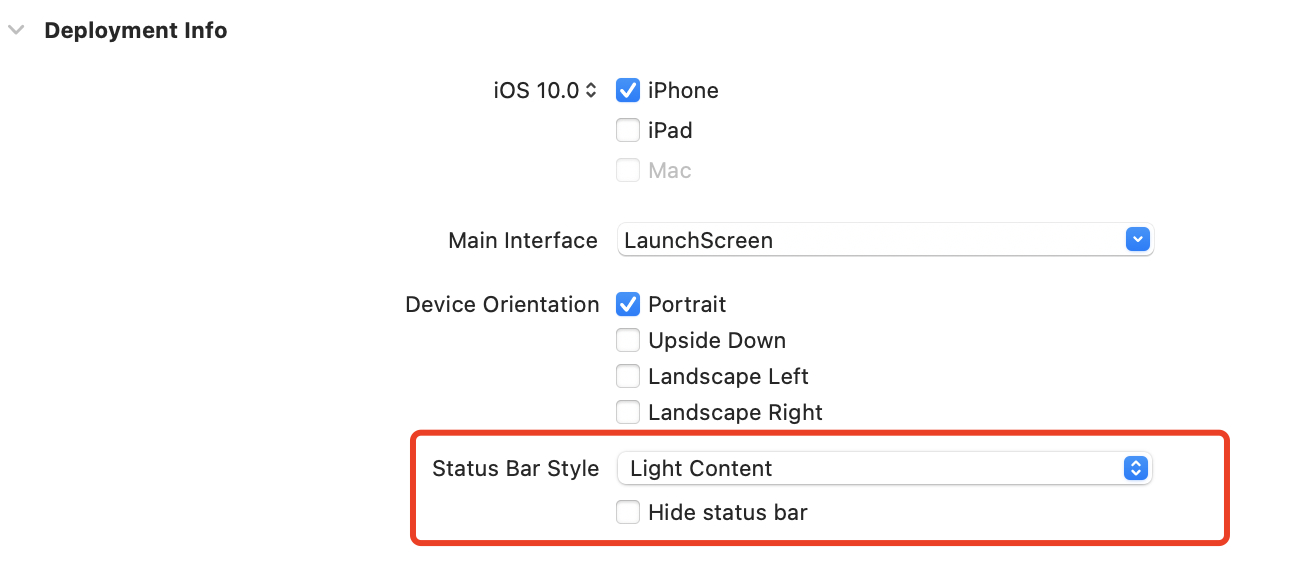
方法二:代码设置
1 | [UIApplication sharedApplication].statusBarHidden = YES; |
设置
方法一:在Target下的Deployment Info中设置Status Bar Style
方法二:代码设置
1 | [UIApplication sharedApplication].statusBarStyle = UIStatusBarStyleLightContent; |
界面单独设置
首先在info.plist中设置View controller-based status bar appearance为YES,打开按界面设置status bar 显示。
普通的ViewController设置:
1 | - (UIStatusBarStyle)preferredStatusBarStyle { |
如果是UINavigaitonController,则需要添加一个继承自UINavigationController的子类,在子类中设置如下代码,使用子类来控制。或者添加UINavigaitonController的Category,在Category中设置如下代码
原因是:UIViewController嵌套在UINavigaitonController中时,会优先调用UINavigationController的preferredStatusBarStyle,所以直接在UIViewController中设置是不生效的。
1 |
|
问题
modal出来的viewController设置了prefersStatusBarHidden不生效的问题,需要设置modalPresentationCapturesStatusBarAppearance为YES;
1 | @implementation TargetViewController |